
New to YoKlinic? Learn how to set up your account!
Getting started with YoKlinic is as simple as pie! 🍰 Follow these steps, and you’ll be ready to go in no time
1. Visit the YoKlinic Website
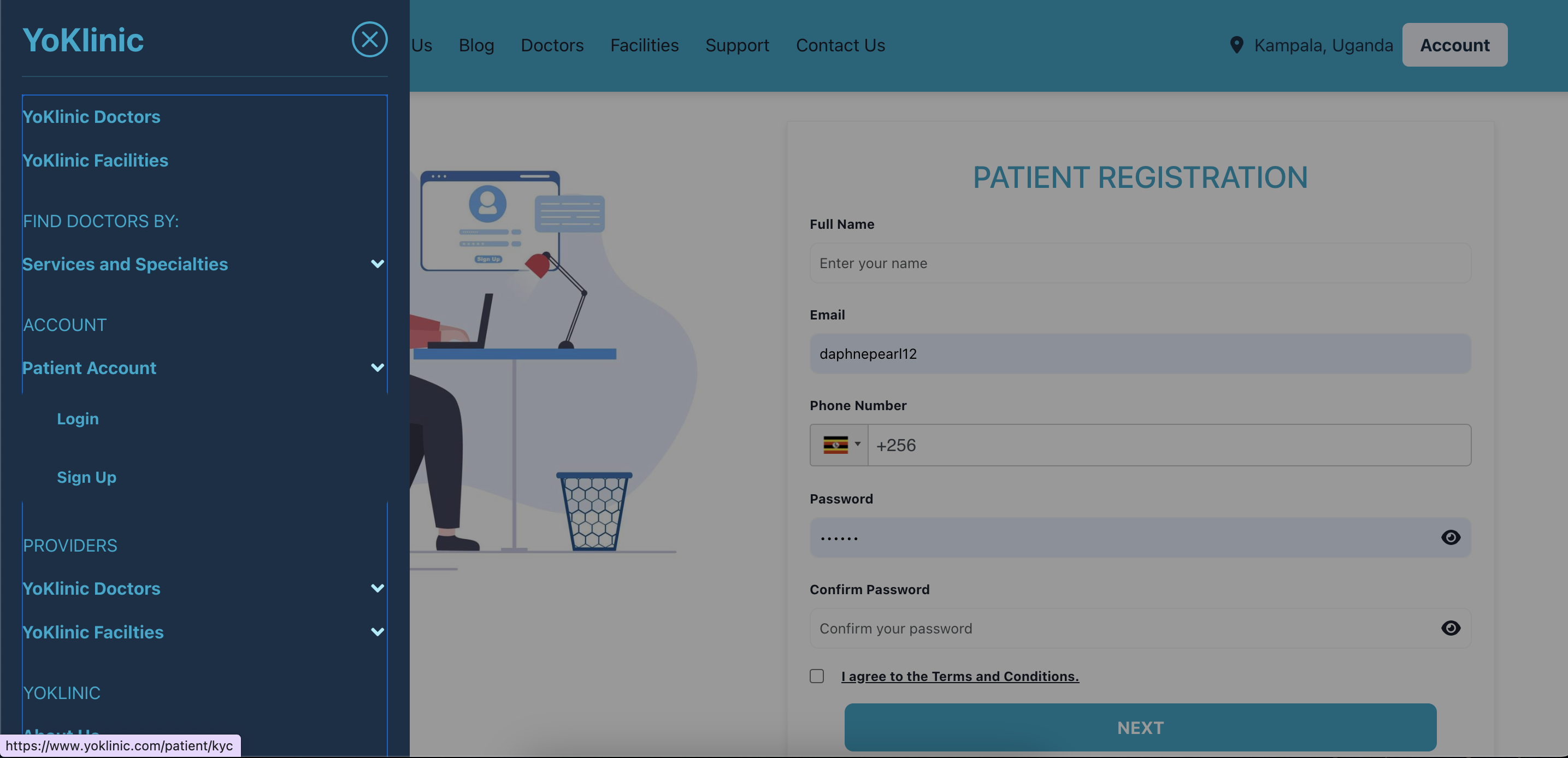
- Head over to yoklinic.com on your preferred device
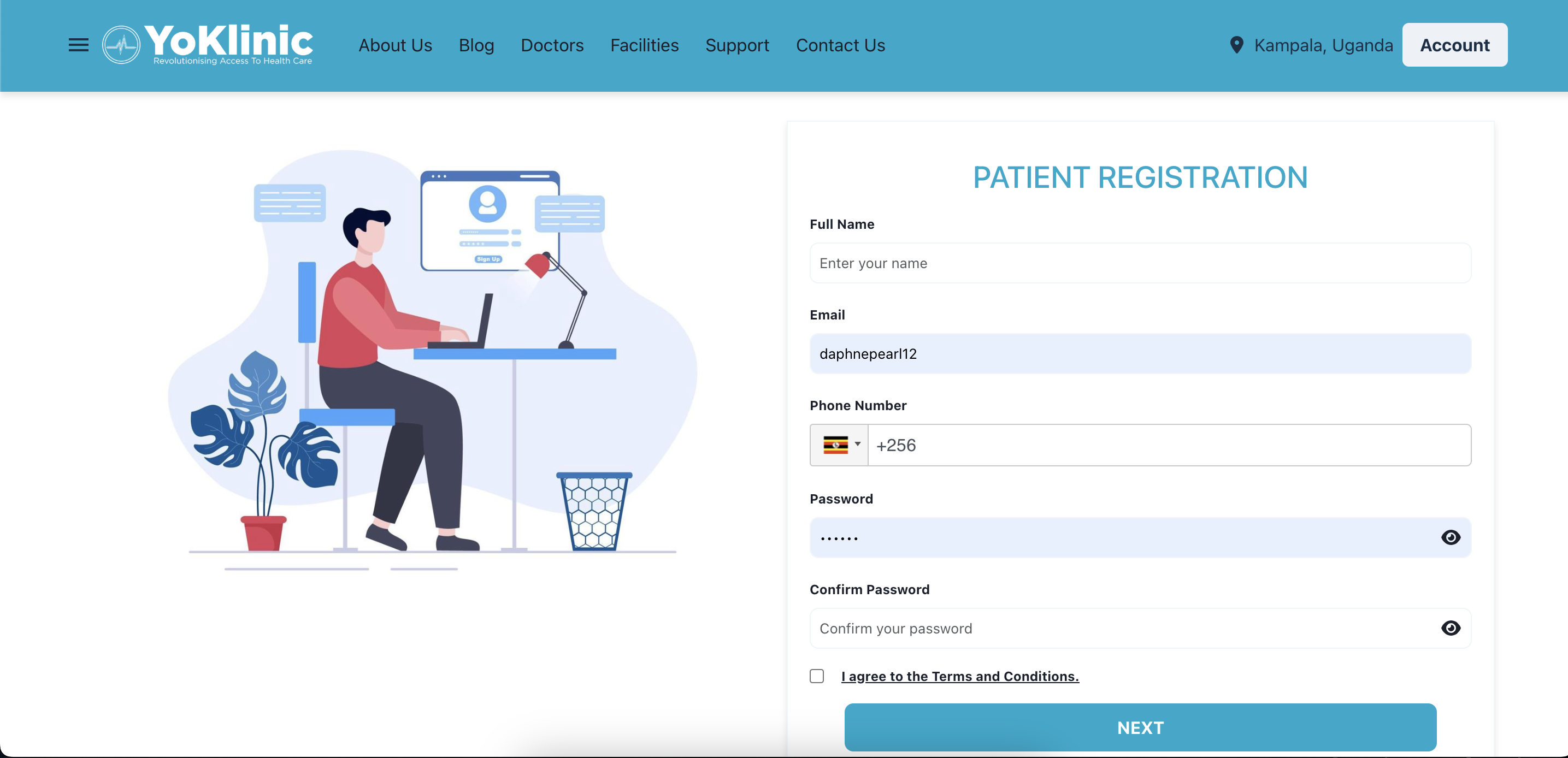
2. Fill Out the Sign-Up Form
Enter the following details:
- Email Address: Make sure it’s valid; we’ll use this to verify your account.
- Valid Whatsapp Number: (It helps us communicate with you better)
- Password: Choose one that’s at least 6 characters long for security.
3. Agree to the Terms
- Tick the box to accept our Terms of Service and ensure you’re good to go.
4. Click Next Button
- Hit the Next Button to add more details
4. Patient Details
Enter the following details
- Select your current country and the district where you reside.
- Date Of Birth. If you’re under 18 years old, we recommend adding your Next of Kin for better support.
- Let us know the language you’re most comfortable communicating in.
- Optionally you can add a profile Picture
- Share how you discovered YoKlinic—whether through a friend, social media, or another source.
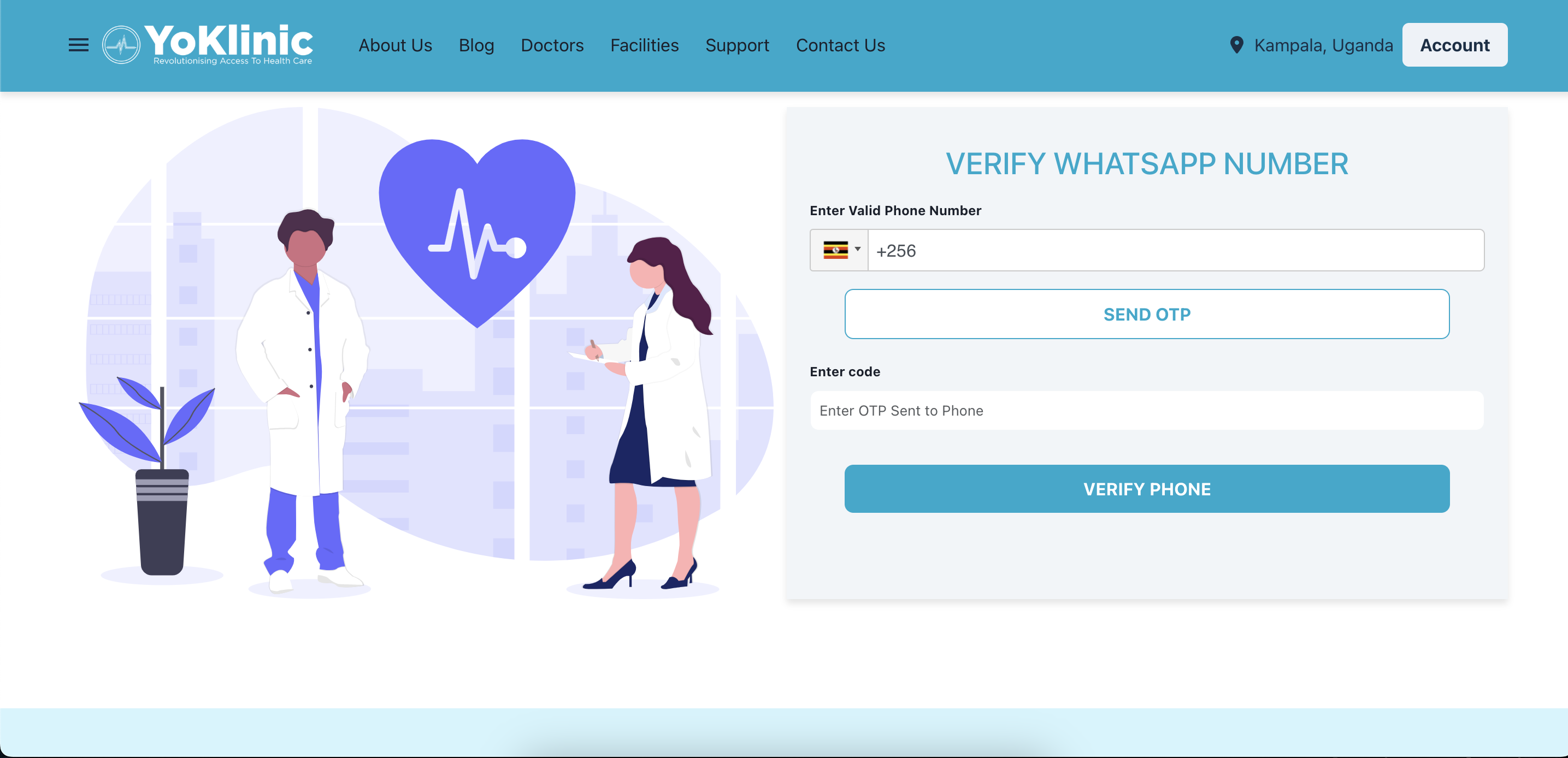
- Verify You Whatsapp Number
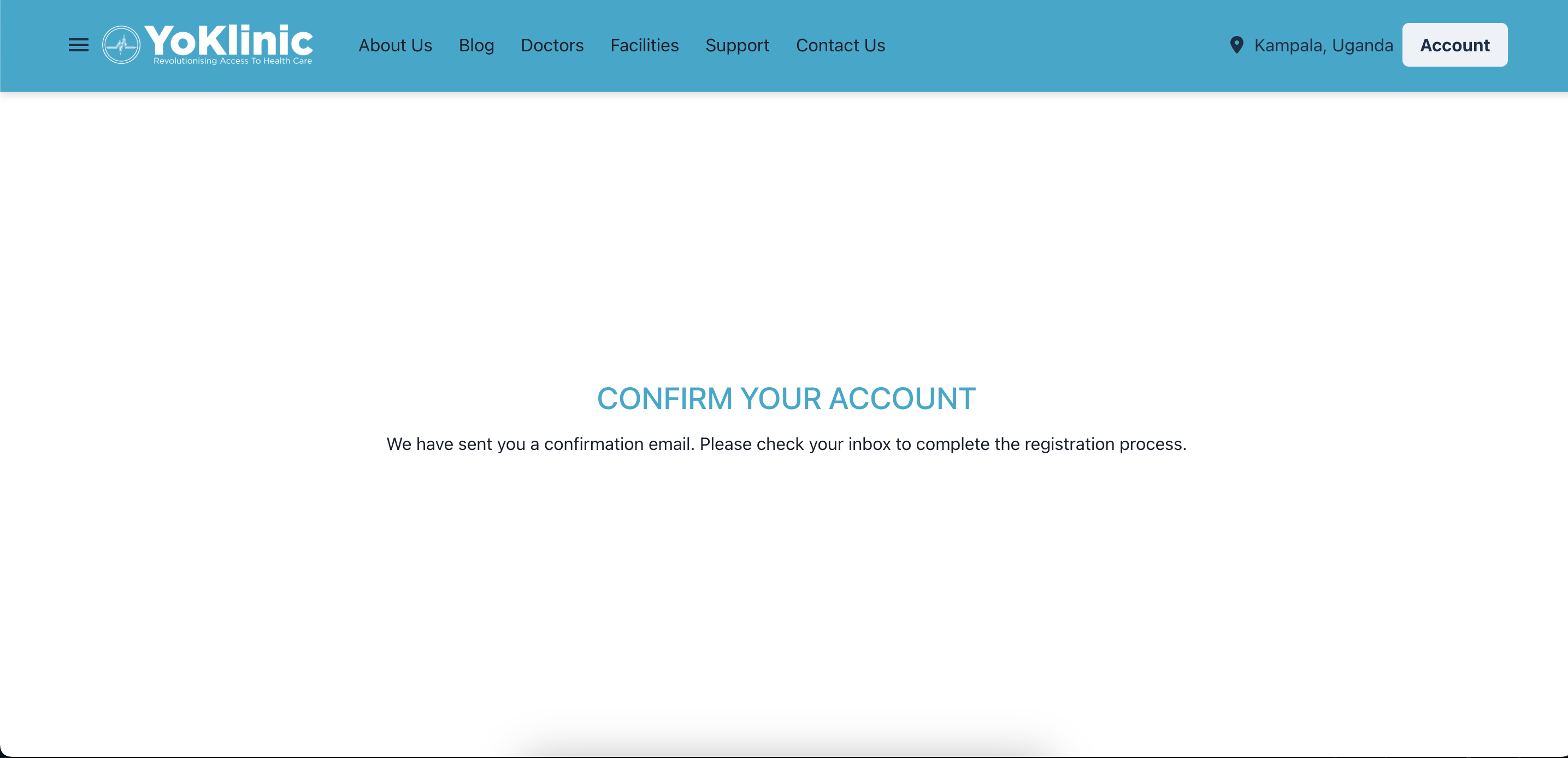
5. Verify Your Email Address
- Check your inbox for a confirmation email.
- Click the link in the email to activate your account.
- If you don’t see the email, check your spam or junk folder.
That’s it! Your YoKlinic account is now set up, and you’re ready to explore all the amazing features we offer. 🎉
Need help? Reach out to us at support@yoklinic.com, and we’ll be happy to assist!
Getting started with YoKlinic is as simple as pie! 🍰 Follow these steps, and you’ll be ready to go in no time
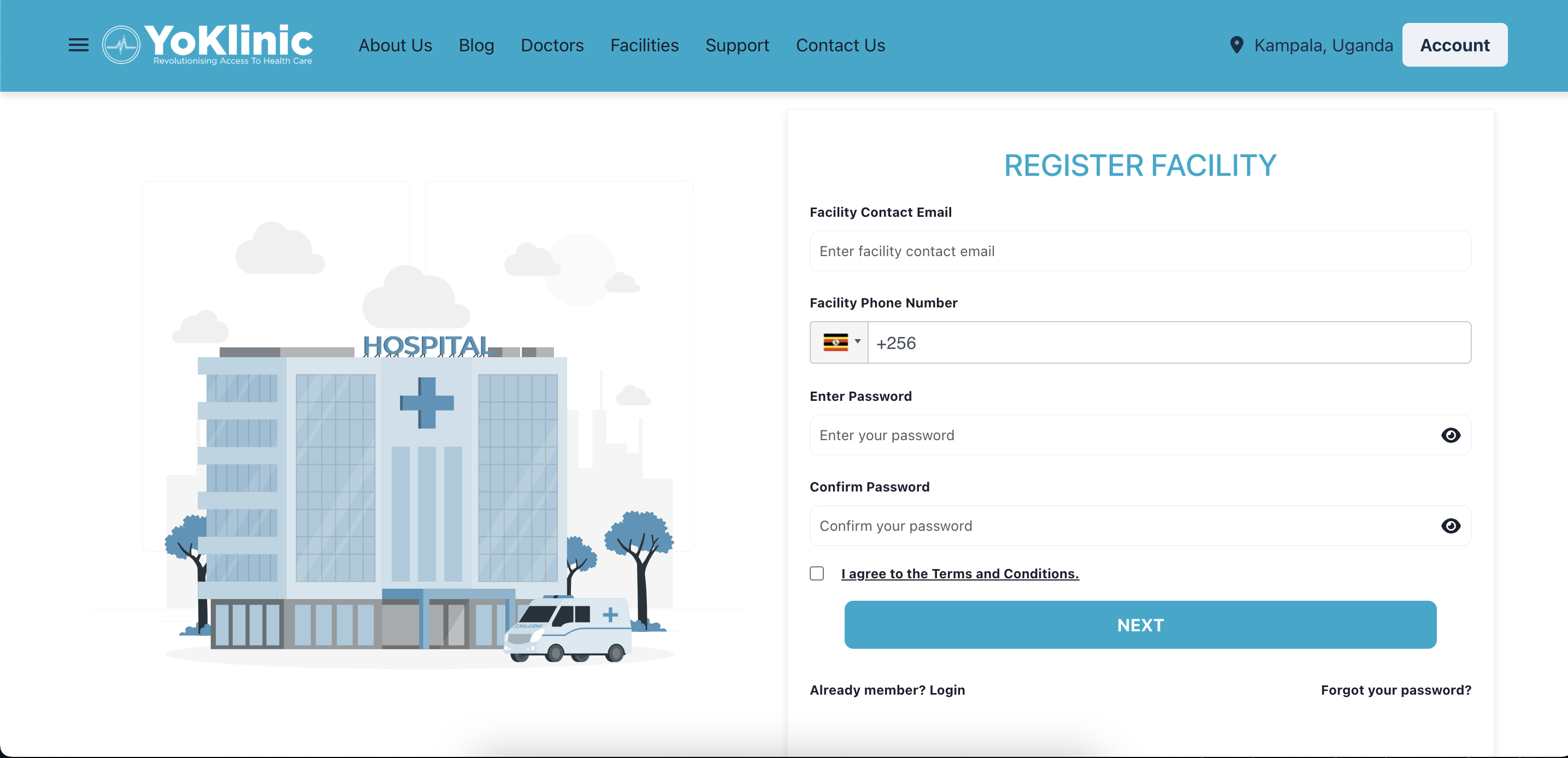
1. Visit the YoKlinic Website
- Head over to https://www.yoklinic.com/facilities/auth/signup on your preferred device
2. Fill Out the Sign-Up Form
Enter the following details:
- Email Address: Make sure it’s valid; we’ll use this to verify your account.
- Valid Whatsapp Number: (We use Whatsapp as our main communication for appointments)
- Password: Choose one that’s at least 6 characters long for security.
3. Agree to the Terms
- Tick the box to accept our Terms of Service and ensure you’re good to go.
4. Click Next Button
- Hit the Next Button to add more details
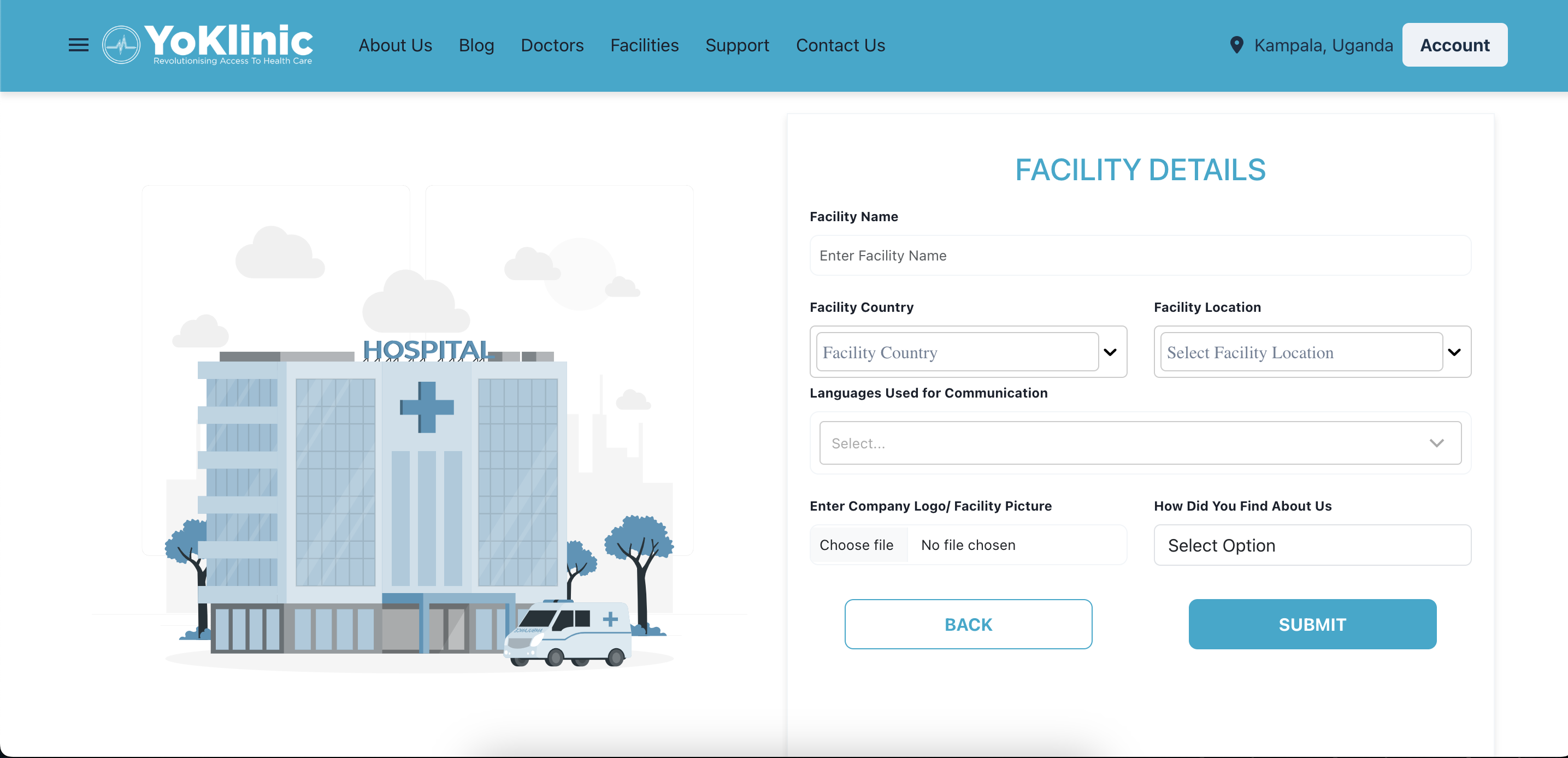
4. Facility Details
Enter the following details
- Select your current country and the district the facility resides.
- Let us know the languages you’re most comfortable communicating in.
- Add a company profile Picture
- Share how you discovered YoKlinic—whether through a friend, social media, or another source.
- Verify You Whatsapp Number, you previously registered
5. Verify Your Email Address
- Check your inbox for a confirmation email.
- Click the link in the email to activate your account.
- If you don’t see the email, check your spam or junk folder.
That’s it! Your YoKlinic account is now set up, and you’re ready to explore all the amazing features we offer. 🎉
Need help? Reach out to us at support@yoklinic.com, and we’ll be happy to assist!
Getting started with YoKlinic is as simple as pie! 🍰 Follow these steps, and you’ll be ready to go in no time
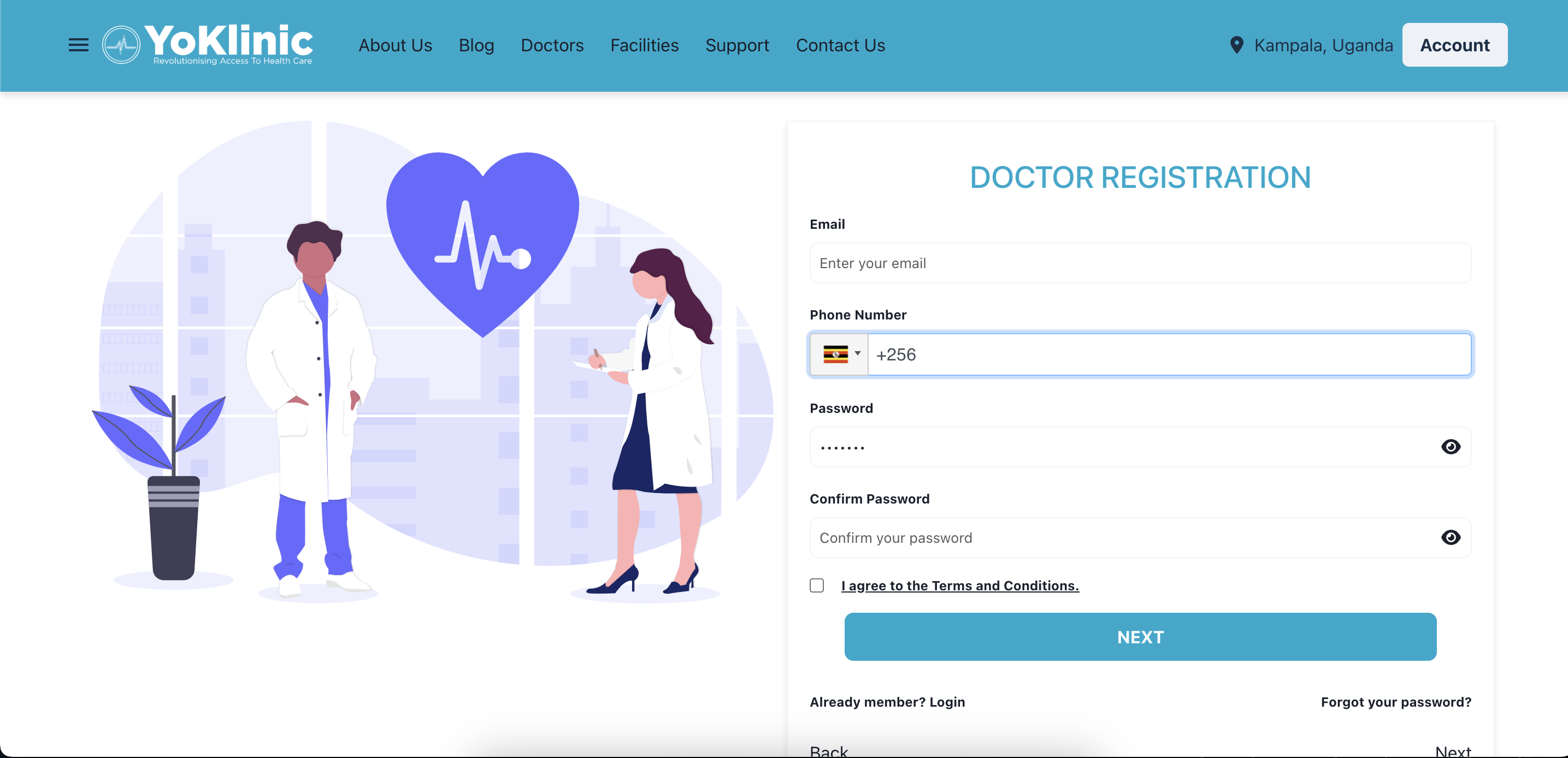
1. Visit the YoKlinic Website
- Head over to https://www.yoklinic.com/doctor/kyc on your preferred device
2. Fill Out the Sign-Up Form
Enter the following details:
- Email Address: Make sure it’s valid; we’ll use this to verify your account.
- Valid Whatsapp Number:(This is vital because we use it for communication)
- Password: Choose one that’s at least 6 characters long for security.
3. Agree to the Terms
- Tick the box to accept our Terms of Service and ensure you’re good to go.
4. Click Next Button
- Hit the Next Button to add more details
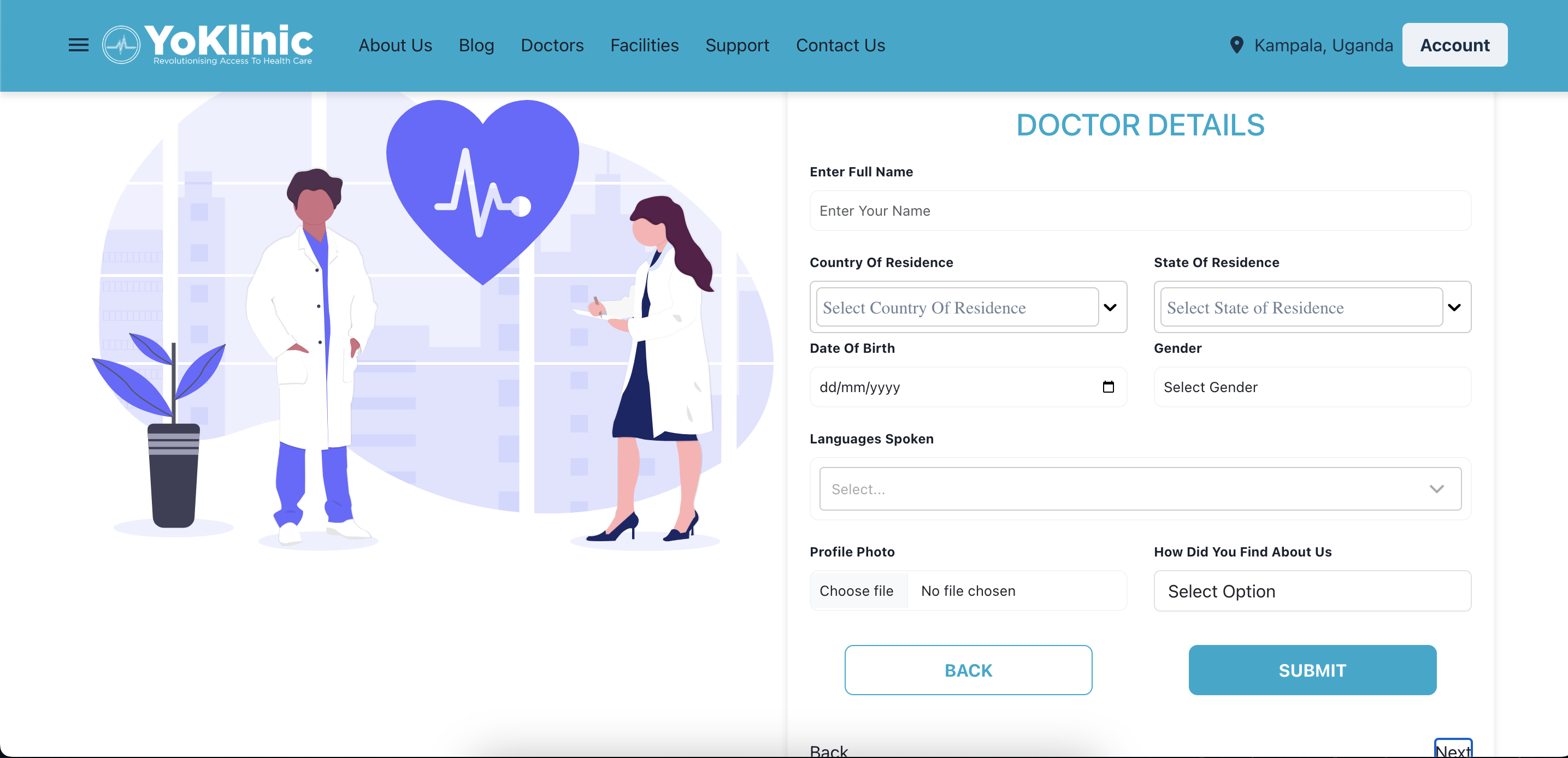
4. Doctor Details
Enter the following details
- Select your current country and the district where you reside.
- Date Of Birth.
- Let us know the language you’re most comfortable communicating in.
- Add a profile Picture
- Share how you discovered YoKlinic—whether through a friend, social media, or another source.
- Verify You Whatsapp Number
5. Verify Your Email Address
- Check your inbox for a confirmation email.
- Click the link in the email to activate your account.
- If you don’t see the email, check your spam or junk folder.
That’s it! Your YoKlinic account is now set up, and you’re ready to explore all the amazing features we offer. 🎉
Need help? Reach out to us at support@yoklinic.com, and we’ll be happy to assist!