
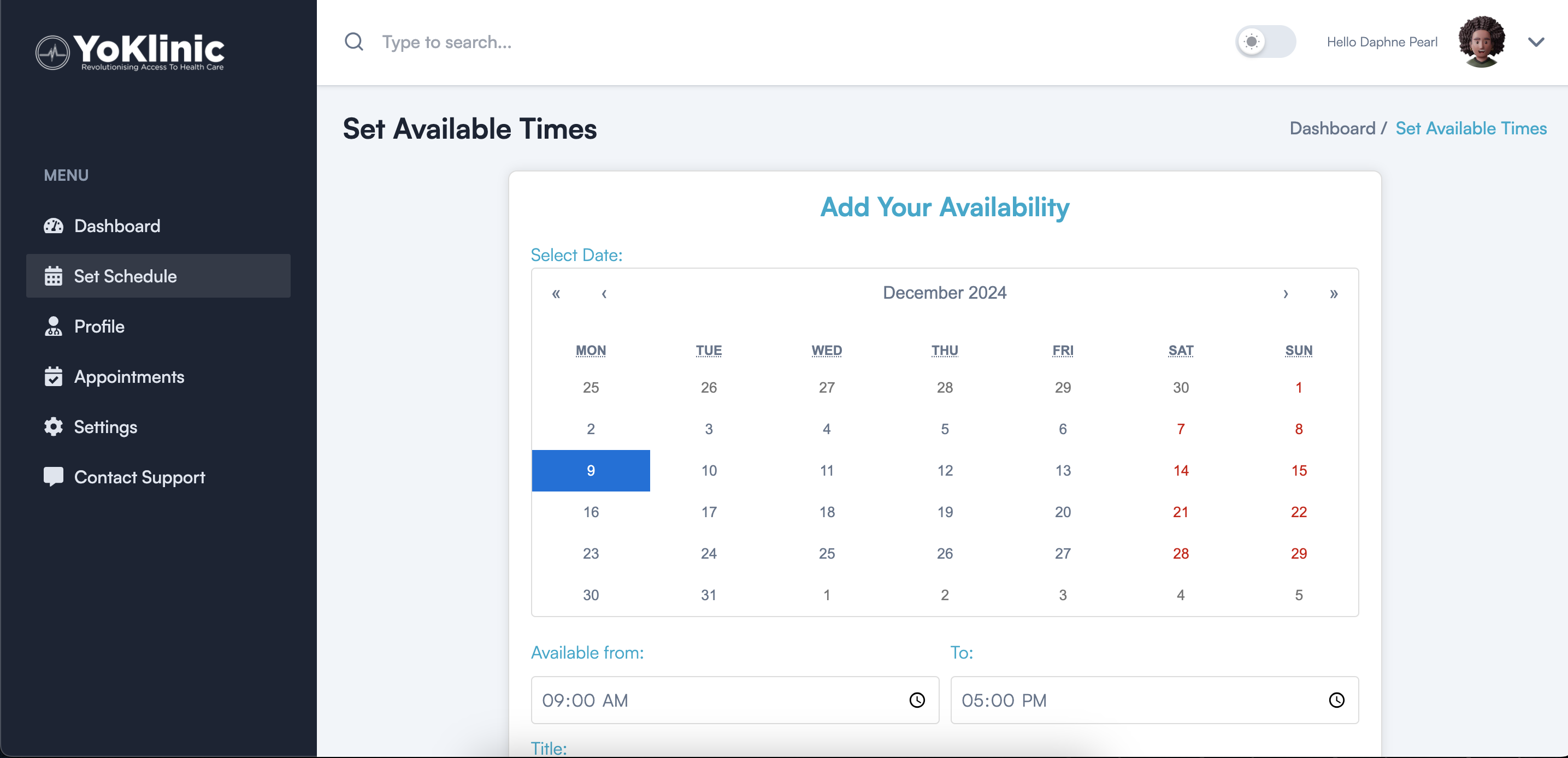
Setting your availability for appointments is simple and quick.
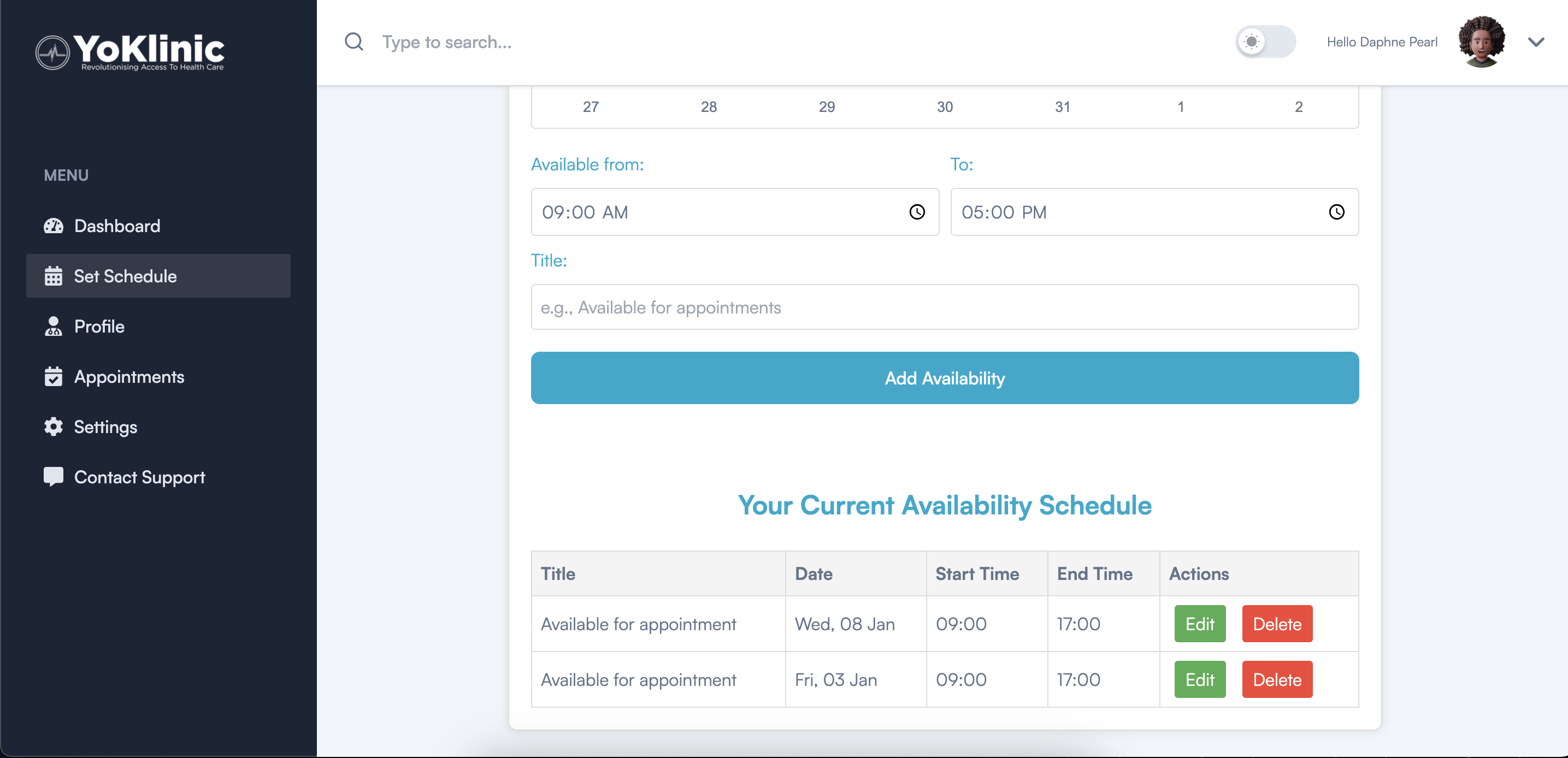
Start by selecting a date from the calendar. Next, choose your time slots by setting a start time and an end time to define your availability. If you'd like, you can also add a title, such as "Available for Appointments."
Once you're done, click the button to save your availability. If plans change, you can easily edit or delete existing time slots from the availability table.
Keep your schedule updated to ensure a smooth appointment process.